What Is Amazon Multi-Channel Fulfilment (MCF)? The Complete Guide for eBay, TikTok Shop and Website Sellers

 Chat on WhatsApp
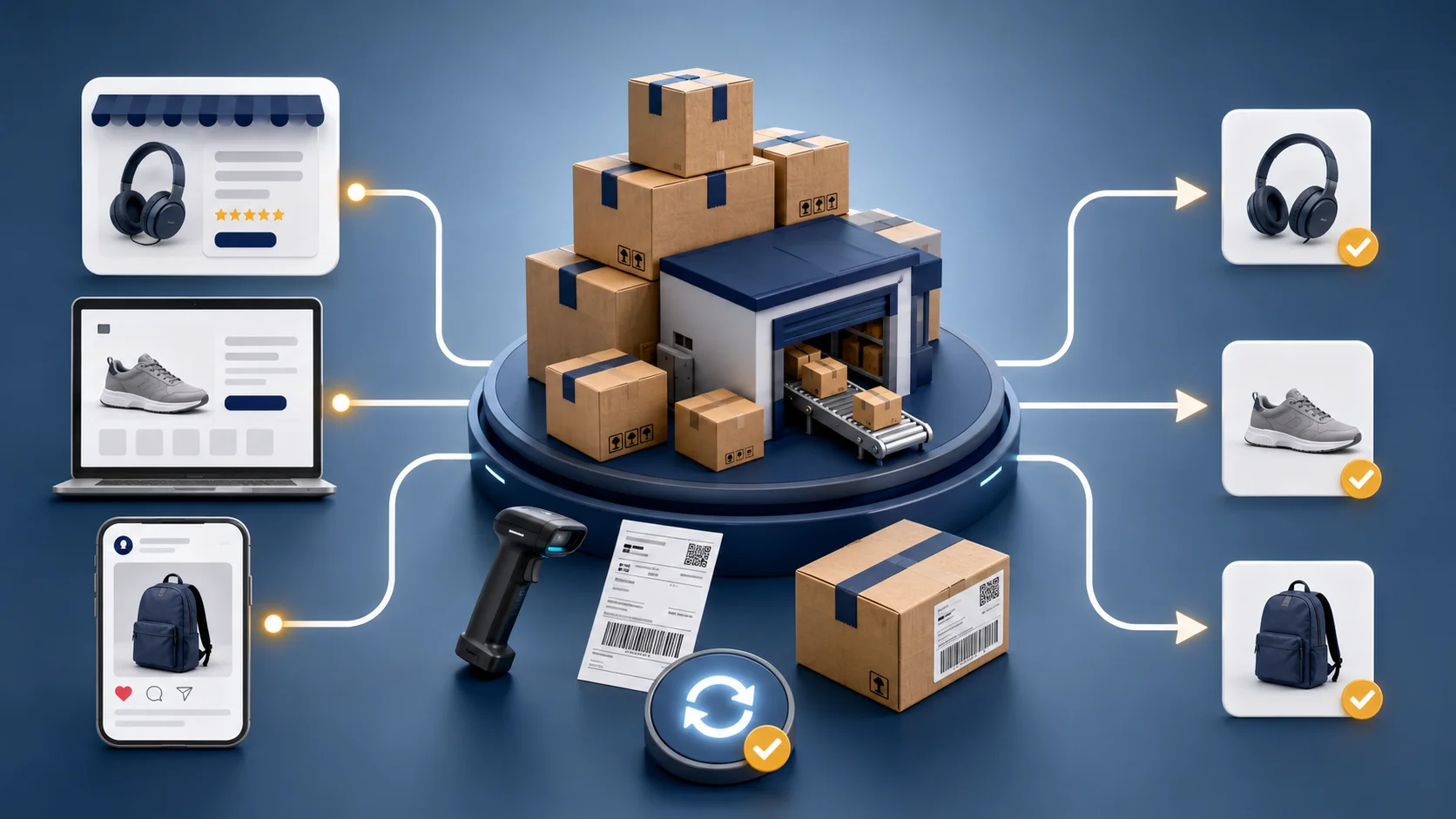
Most sellers know Amazon FBA as the thing that fulfils Amazon orders. Fewer know that the same warehoused stock can also fulfil an order that came from eBay, from your own Shopify store, or from TikTok Shop — through a separate but related Amazon service called Multi-Channel Fulfilment, or MCF. For a seller running (or trying to run) the same product across several channels, this is one of the more underused tools available, and also one of the most commonly misconfigured.
In short: Multi-Channel Fulfilment (MCF) is Amazon's service for shipping orders that were not placed on Amazon. You keep one pool of stock in FBA, and Amazon picks, packs and ships it to customers who bought on eBay, TikTok Shop, or your own website. You need an active Amazon seller account with FBA inventory to use it. It does not, on its own, keep your stock counts in sync across those channels — that part is a separate piece of work, and it is where most MCF setups go wrong.
If you're trying to work out whether MCF makes sense for your setup, message me directly on WhatsApp — I help sellers set up multichannel fulfilment and the automation that keeps it running without overselling or manual chaos.
How Amazon MCF actually works
The mechanics are straightforward once you separate them from standard FBA:
- Inventory goes into Amazon's fulfilment network the same way it would for regular FBA — sent in, received, and stored across Amazon's warehouses.
- An order comes in on a different channel — a buyer purchases through your eBay listing, your own website checkout, or TikTok Shop.
- You (or your systems) create an MCF fulfilment order in Seller Central or via Amazon's API, specifying the SKU, quantity, and the buyer's shipping address from that external order.
- Amazon picks, packs, and ships the item from FBA stock directly to the end customer — the same fulfilment infrastructure used for Amazon orders, just triggered by an order that didn't originate on Amazon.
The result: one pool of stock, sitting in one place, capable of fulfilling demand from multiple storefronts without you personally packing and shipping each order or maintaining separate inventory for each channel.
MCF, FBA and a 3PL: what each one actually is
These get used interchangeably in seller forums, which causes most of the confusion:
| What it fulfils | Where stock sits | Branding on the box | |
|---|---|---|---|
| FBA | Orders placed on Amazon | Amazon's fulfilment network | Amazon-branded |
| MCF | Orders placed anywhere except Amazon | The same FBA stock pool | Amazon-branded by default; an unbranded option exists for eligible sellers |
| 3PL | Orders from any channel you connect | The 3PL's warehouse | Yours, and fully controllable |
FBA and MCF are not alternatives to each other — MCF sits on top of FBA and uses the same inventory. The genuine either/or decision is MCF versus a 3PL for your non-Amazon channels, and that comes down to your product's weight band and your order volume rather than to a headline rate. The full comparison is here.
What MCF actually solves
- Removes the need for your own warehouse or a separate 3PL for products you're already storing in FBA for Amazon sales — the same stock does double (or quadruple) duty.
- Gives non-Amazon channels access to Amazon's fulfilment speed and reliability, which can be a genuine differentiator on a channel like your own website, where buyers don't have Amazon's brand trust to rely on but still benefit from fast, professional shipping.
- Reduces the operational overhead of running several channels simultaneously — instead of a separate fulfilment process per channel, there's one inventory pool and one fulfilment mechanism triggered differently depending on where the order came from.
What MCF does not solve on its own
This is the part that catches sellers out, and it's worth being direct about it: MCF fulfils an order once that order and its details reach Amazon in the right format. It does not, by itself:
- Keep stock levels synchronised across channels in real time. If you have 50 units in FBA and sell 20 on Amazon, 20 on eBay, and 20 on your website in the same afternoon without a sync system connecting all three, you've oversold by 10 units before anyone notices — MCF has no visibility into your eBay or website stock counts unless something is actively feeding that information back.
- Automatically create the MCF fulfilment order from an external sale. Without an integration (Amazon's own multi-channel tools, a third-party platform, or custom automation), someone has to manually check external orders and manually trigger fulfilment in Seller Central for each one — which doesn't scale past a handful of daily orders.
- Handle branding automatically. Standard MCF shipments can include Amazon branding by default, which may undercut the independent brand experience you're building on your own website or TikTok Shop — this needs to be explicitly configured, not assumed.
What you need before MCF is even an option
Worth checking in this order, because the first one rules out a lot of sellers who assume MCF is a standalone fulfilment service:
- An active Amazon seller account. MCF fulfils from FBA stock, so the Amazon relationship is the prerequisite — not optional infrastructure you can skip because your sales happen elsewhere.
- Inventory actually enrolled in and received into FBA. Stock in transit or in your own storage cannot be used.
- Products that are FBA-eligible. Restricted, hazmat and oversize categories carry their own rules, and those apply here too.
- A way to create the fulfilment order. Manually in Seller Central is fine at a handful of orders a day; past that you need an integration or automation.
- A stock-sync method across every channel you sell on. Not technically required to place an MCF order — but without it, overselling is a question of when, not if.
Packaging and branding: what to actually check
For a seller using MCF to fulfil non-Amazon orders specifically to build an independent brand presence, unboxing experience matters. Amazon has offered unbranded or plain-packaging fulfilment options for eligible sellers and situations, but eligibility, exact options, and any associated costs are worth confirming directly in Seller Central rather than assumed — this is an area Amazon has adjusted over time, and getting it wrong means a customer who bought from your own website unexpectedly receives an Amazon-branded box, which is a genuinely confusing, brand-diluting experience worth avoiding deliberately.
MCF pricing: what actually drives the cost
MCF fees are calculated based primarily on the item's weight and dimensions and the shipping speed selected (standard, expedited, or priority), separately from standard FBA fulfilment fees for Amazon-originated orders — and like most Amazon fee structures, the exact rates are updated periodically. Rather than quoting a number that may already be outdated, the practical approach is (see the full MCF pricing breakdown for the two cost layers most sellers miss):
- Pull current MCF rates directly from Seller Central for your specific product weight bands.
- Compare against what a 3PL would realistically charge for the same weight, volume, and shipping speed — see MCF vs 3PL comparison for how to run that comparison properly.
- Factor in the operational cost you're removing, not just the per-order fee — a 3PL relationship carries its own account management overhead, minimum volume commitments in some cases, and a separate integration to maintain, which MCF, using infrastructure you likely already have for Amazon FBA, can reduce.
Who MCF genuinely suits
- Sellers already running FBA for Amazon who are expanding into eBay, their own website, or TikTok Shop and want to avoid standing up a second fulfilment operation from scratch.
- Sellers whose product weight and dimensions fall into MCF's more cost-competitive bands relative to 3PL alternatives — this varies enough by product that it's worth calculating directly rather than assuming either option is cheaper by default.
- Sellers who can either build or buy the inventory-sync and order-routing layer MCF needs to actually work smoothly across channels — without this, MCF becomes a manual, error-prone process that struggles to scale past low order volumes.
Who should think twice before relying on MCF alone
- Sellers who need heavy, deliberate control over unboxing and packaging as a core part of their non-Amazon brand experience, where even the unbranded MCF option doesn't give the level of customisation a dedicated 3PL or in-house fulfilment setup could.
- Sellers with very low order volumes on non-Amazon channels, where the operational complexity of setting up proper MCF integration may not yet be justified compared to simply fulfilling those orders manually from a small amount of separately held stock.
- Sellers without a plan for inventory synchronisation, since this is genuinely where most of the risk in multichannel fulfilment actually sits — not in the fulfilment mechanism itself.
The realistic setup process
- Confirm your products are enrolled in FBA and have sufficient, forecasted stock levels to support demand across every channel you plan to fulfil, not just Amazon.
- Decide on packaging — standard MCF branding, or apply for and configure the unbranded option if brand consistency matters for your non-Amazon channels.
- Set up inventory synchronisation between your FBA stock levels and every other channel's storefront — through Amazon's own tools where available, a multichannel inventory platform, or custom automation.
- Set up order routing so that orders placed on eBay, your website, or TikTok Shop are captured and turned into MCF fulfilment requests automatically, rather than manually, once volume grows beyond what's manageable by hand.
- Test the full path end to end — place a real order on each channel, confirm it triggers correctly, ships correctly, and that stock levels update correctly everywhere afterward — before relying on it for genuine order volume.
See the full beginner's setup walkthrough for the order these steps should actually happen in, and what changes for high-SKU fashion and apparel catalogues if that's your product type.
This is exactly the layer — the sync and automation connecting MCF to every channel it's meant to serve — where a properly built setup separates a smooth multichannel operation from one that's quietly overselling and firefighting. Building that routing layer is e-commerce automation work; if the wider Amazon operation feeding it needs attention too, that sits under Amazon private label consulting. If you're setting this up, or your current setup is causing overselling and manual chaos, message me directly on WhatsApp — I help sellers configure MCF properly and build the automation that keeps stock and orders in sync across Amazon, eBay, your own website, and TikTok Shop.
 Connect on LinkedInChat on WhatsApp
Frequently asked questions
What is Amazon Multi-Channel Fulfilment (MCF)?
MCF is an Amazon service that lets sellers use their existing FBA inventory to fulfil orders placed on other sales channels — eBay, a Shopify or WooCommerce website, TikTok Shop, and others — rather than only orders placed on Amazon itself. You send stock into Amazon's fulfilment network once, and Amazon picks, packs, and ships it out regardless of where the order originated.
Do MCF orders arrive in Amazon-branded packaging?
By default, standard MCF shipments can include Amazon-branded packaging and materials, which is a common concern for sellers building an independent brand outside Amazon. Amazon offers an unbranded or plain-packaging option for eligible sellers who want to remove Amazon branding from non-Amazon channel orders — this is worth confirming directly in Seller Central, since eligibility and options can change.
How much does Amazon MCF cost compared to standard FBA?
MCF pricing is based on weight and shipping speed rather than being identical to standard FBA fulfilment fees, and it changes periodically, so it should always be checked directly in Seller Central for current rates rather than assumed from older figures. The practical comparison that matters is MCF's total cost against a 3PL's total cost for your specific product weight and order volume, not a single headline number.
Can I use MCF if I don't sell on Amazon at all?
You generally need an active Amazon seller account with inventory enrolled in FBA to use MCF, even if your actual sales happen entirely through other channels — MCF fulfils from FBA stock, so the FBA relationship is the prerequisite, not optional infrastructure you can skip.
Does MCF automatically sync inventory across all my sales channels?
Not by itself — MCF fulfils orders once they're created, but keeping stock levels accurate across every channel in real time requires either Amazon's own multi-channel tools, a third-party inventory management platform, or a custom automation connecting each channel's order and stock data. This is one of the most commonly misunderstood parts of MCF, and it's the difference between MCF working smoothly and MCF quietly causing overselling.
Is Amazon MCF worth it for a small or new multichannel seller?
Often yes for the packing/shipping mechanics, since it removes the need to run your own warehouse or manage a 3PL relationship from day one — but it's worth it only once inventory sync and order routing between channels is handled properly, since MCF alone doesn't prevent the overselling and channel-conflict problems a growing multichannel operation runs into without that layer in place.
Get direct help with this
Ready to Grow Your Business?
Whether you're recovering an eBay account, launching an Amazon brand, improving your SEO, or scaling with AI automation, let's discuss the best strategy for your business.
Chat on WhatsApp Now