How to Optimize Your Google Business Profile for Local SEO: Complete 2026 Checklist

 Chat on WhatsApp
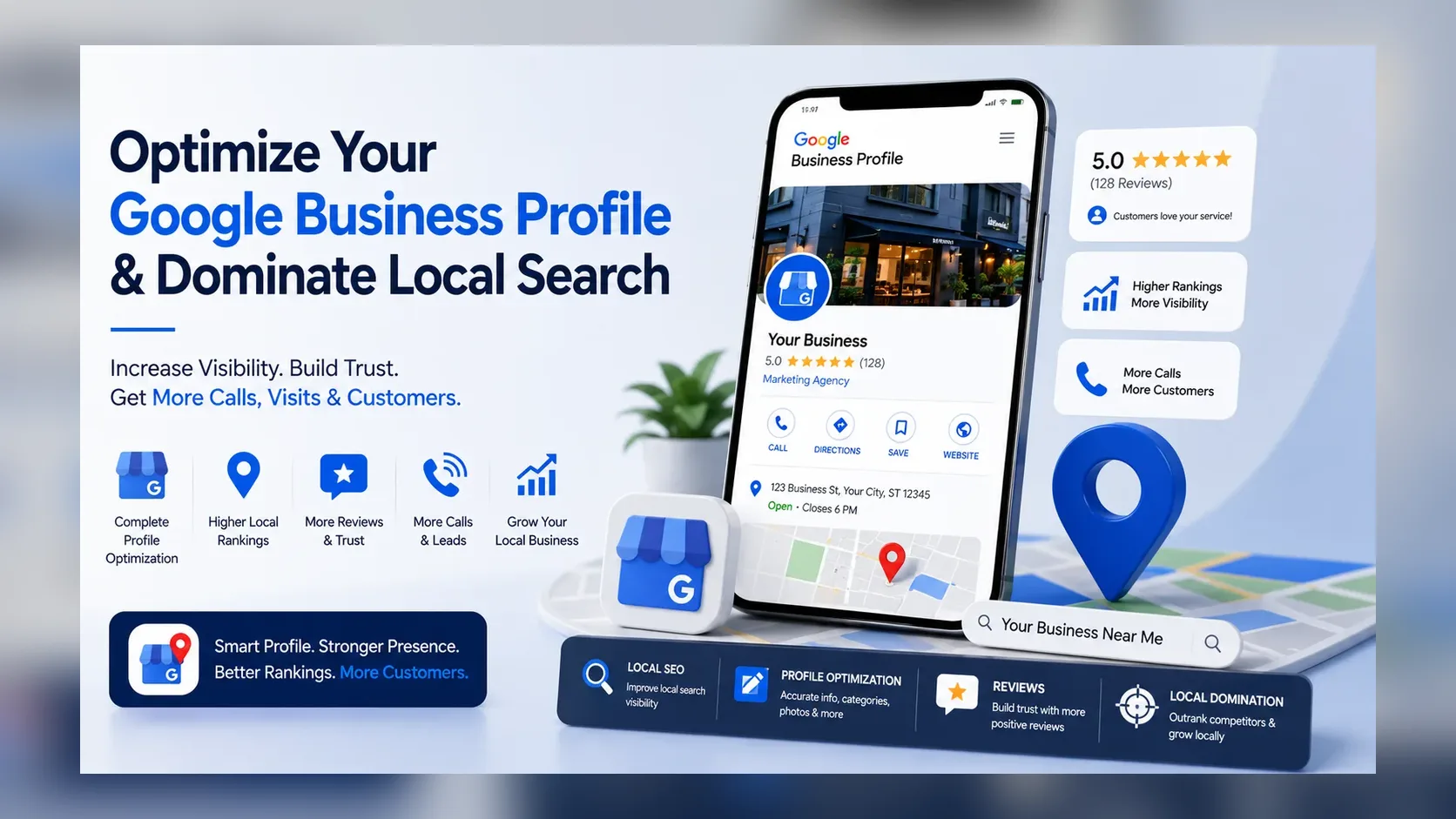
Optimizing a Google Business Profile means making it accurate, complete, genuinely relevant to what the business actually does, and useful to someone deciding whether to contact it. Done properly, it supports five distinct things: search relevance, customer confidence, profile engagement, conversion, and the wider Local SEO picture the profile sits inside. What it doesn't do is override proximity, business eligibility, the strength of local competition, or Google's own ranking systems — optimization improves your position within those constraints, it doesn't remove them. Nothing below promises a ranking outcome.
How Do You Optimize a Google Business Profile for Local SEO?
Verify the profile, use the real business name exactly as it trades, select the most accurate primary category available, add only genuinely relevant additional categories, keep the address or service area correctly configured, complete contact information and opening hours, write a clear description of what the business actually does, list real services, upload genuine photos and video, build a consistent flow of real reviews, connect the profile to the most relevant page on your website, and monitor Performance data over time rather than judging results from a single visit.
Google Business Profile Optimization: What Actually Matters?
| Area | Primary purpose | Local SEO relevance | Conversion impact | Priority |
|---|---|---|---|---|
| Business eligibility | Qualifies the business for a profile at all | Foundational | None directly | Critical |
| Business name | Accurate identity | High | Medium | Critical |
| Primary category | Defines what Google thinks the business is | High | Low | Critical |
| Additional categories | Describes genuine secondary aspects | Medium | Low | High |
| Address / service area | Correct location signal | High | Medium | Critical |
| Website | Supports relevance and conversion | Medium | High | High |
| Phone | Contact reliability | Low | High | High |
| Opening hours | Accuracy for customers | Low | High | High |
| Services | Matches specific customer searches | Medium | Medium | High |
| Description | Clarity and differentiation | Supporting | Medium | Medium |
| Reviews | Prominence signal and trust | High | High | High |
| Photos / video | Real-business proof | Supporting | High | Medium |
| Posts | Communication channel | Supporting | Medium | Supporting |
| Website Local SEO | Wider authority and relevance | High | Medium | High |
| Links / authority | Prominence signal | High | Low | Medium |
| Performance tracking | Measures everything above | Diagnostic | Diagnostic | High |
Step 1: Make Sure the Profile Is Eligible, Claimed and Verified
None of the optimization work below matters if the fundamentals aren't in place. Confirm the business genuinely meets Google's eligibility rules, that the profile is claimed by the right person, and that it's fully verified — an unverified or ineligible profile has nothing for the rest of this checklist to build on. This article assumes those are already resolved; see the complete Google Business Profile verification guide if not.
Step 2: Use Your Real Business Name — Not an SEO Version of It
Google's own guidance is that your business name should be entered exactly as it exists in the real world (Guidelines for representing your business) — not with services or locations appended.
Good: Manchester Heating Solutions — if that's genuinely the business's real name. Bad: Manchester Heating Solutions | Boiler Repair | Emergency Plumber Manchester — if those additions aren't part of the actual trading name.
Keyword-stuffed names are a documented policy violation, not a growth tactic, and copying a competitor doing this copies their risk, not their result.
Business Name Optimization Rule: the best-optimized business name is the accurate real-world business name. There is no second version to write.
Step 3: Choose the Right Primary Google Business Profile Category
This is one of the highest-leverage fields you control. Google states plainly that categories affect local ranking and should describe what the business fundamentally is, not a list of everything it offers (How to choose a category) — the guidance is to complete "this business is a," not "this business has a."
Choose the most specific accurate option available. A specialist orthodontic practice is better served by Orthodontist than the broader Dentist, if orthodontics genuinely is the core of the business — the right choice depends entirely on what the business actually is, not on search volume. See the full guide to choosing a Google Business Profile category for a step-by-step walkthrough and common categories by industry.
Step 4: Add Relevant Secondary Categories Without Category Stuffing
Additional categories should represent genuine parts of the business, and Google's own guidance is to use as few as necessary to describe it accurately — up to nine are available, but that's a ceiling, not a target.
| Category type | Purpose | Example | Mistake to avoid |
|---|---|---|---|
| Primary | Defines the core business | Grocery store | Choosing a broader or narrower category than the business genuinely is |
| Additional | Genuine secondary offerings | Pharmacy, Deli (within a grocery store) | Adding categories that belong to a different, unrelated business type |
Step 5: Set Up Your Address or Service Area Correctly
A storefront should show its real, public address, matching the website exactly. A service-area business that doesn't serve customers at its own address should hide that address rather than display it, per Google's current guidance (Manage your service areas). Don't use a PO box contrary to policy, a virtual office, or a desk rented purely to look local — these create representation risk, not ranking gain. Selecting a wide service area also doesn't expand your ranking radius evenly; distance to each individual searcher still applies within it. A dedicated service-area business guide covers this in more depth separately.
Step 6: Use the Correct Phone Number and Website
Use a genuine business phone number customers can actually reach — manipulated or tracking-only numbers that don't match your real contact details undermine trust and accuracy. The website link should point to your most relevant legitimate landing page, one that's crawlable, mobile-usable, and genuinely matches the services being searched. See Local SEO and website optimization for how the website side of this should work.
Step 7: Keep Opening Hours Accurate
Maintain accurate main hours and update special/holiday hours whenever they change. This is primarily a customer-trust issue — a customer who arrives to a closed business because the hours were wrong is a lost conversion, not just an inconvenience. Don't claim 24/7 unless the business genuinely operates that way, and there's no evidence that unnaturally extended hours influence ranking.
Step 8: Write a Useful Google Business Profile Description
The description's job is customer understanding and differentiation, not keyword density — there's no reliable evidence it functions as a major direct local ranking factor on its own. A practical framework: who you are + what you do + who you help + where you operate + what differentiates you, written as normal sentences, not a keyword list.
Weak: "Best plumber Manchester emergency plumber boiler repair cheap plumber near me." Better: "[Business] provides emergency and scheduled plumbing across [area], from boiler repairs to bathroom installations, for homeowners who need reliable, fully insured tradespeople."
Google's AI-assisted description tool can suggest text from your existing profile information (Manage your Business Profile description) — useful as a starting draft, but review any suggestion for accuracy before publishing it; it uses your profile info to guess, and it can guess wrong.
Step 9: Add the Services You Actually Provide
The Services section lets you list pre-defined or custom offerings, each with an optional description and price (Manage your services) — Google may highlight a relevant service when someone searches for exactly that offering. That's a reason to be specific and honest, not a reason to pad the list.
Genuine: Boiler repair, Emergency plumbing, Tap repair, Toilet repair. Spammy: Entries that just repeat city names or synonyms of the same service to occupy more space.
Every service listed should be something the business genuinely does — a padded list doesn't reliably outrank an accurate, focused one.
Step 10: Add Products When the Feature Actually Applies to Your Business
Products is a real feature, increasingly tied to Google Merchant Center for in-store and online inventory (About product editor; Showcase in-store products) — useful for retailers with genuine inventory to show. It's not a place to list "products" that are actually services rewritten as keywords, and a business without physical products to sell shouldn't force this feature just because it exists.
Step 11: Complete Relevant Business Attributes
Attributes (payment types, accessibility features, and similar) appear on Search and Maps and can help match a business to a specific search filter (Manage your business attributes). Some are directly editable; others draw on customer input, and availability varies by category and region. Complete only what's genuinely true — attributes aren't a universal, confirmed ranking factor, and inventing one is a factual inaccuracy, not an optimization.
Step 12: Upload Real Photos and Videos That Help Customers Choose You
Useful types: logo, cover image, exterior, interior, the team, staff at work, completed projects, equipment, and genuine before/after examples where relevant. Their clearest value is showing the real business and building the confidence that drives conversion — Google's own guidance requires images to represent reality, in focus and unaltered (Manage photos and videos).
Myth to correct directly: geo-tagging every photo is not a documented or evidenced Google Maps ranking technique — treat it as folklore, not strategy. Original photography consistently outperforms stock imagery on trust regardless of any ranking effect.
Step 13: Build a Legitimate Google Review System
Ask genuine customers, make it easy with Google's official review link, and build a consistent, repeatable process rather than occasional pushes. Google explicitly prohibits paid or incentivised reviews, pressuring customers on-premises, requesting specific content, and gating who gets asked based on likely rating (Prohibited & restricted content) — violations risk having reviews removed and the profile restricted from receiving new ones for a period. For how many reviews is genuinely competitive, see how many Google reviews you need to compete in the Map Pack.
Step 14: Respond to Reviews Professionally
Responses are a reputation exercise for every future reader, not just the one reviewer — and there's no confirmed evidence that stuffing keywords into every reply affects ranking, so don't write them like ad copy.
Positive: "Thank you, [Name] — really glad we could help. We'll pass this on to the team." Neutral: "Thanks for the feedback, [Name]. If there's anything specific we could have done better, we'd genuinely like to hear it." Negative: "Thanks for the honest feedback. This isn't the experience we want — please contact us at [method] so we can put it right."
Step 15: Use Google Business Profile Posts for Customers — Not as a Ranking Hack
Posts support updates, offers, and events, and Google frames them as a way to communicate with customers (Create and manage posts) — not as a documented ranking lever. Posting daily doesn't guarantee anything, and there's no official cadence requirement. Use Posts for genuine announcements and offers; treat any profile-freshness or engagement benefit as a side effect of being useful, not the goal itself.
Not Sure What Your Google Business Profile Is Missing?
Request a free initial Google Business Profile optimization audit. I'll review the obvious category, profile completeness, service, website alignment, review and conversion gaps and tell you what I'd prioritize first.
Step 16: Connect the Business Profile to a Strong Local SEO Website
Optimization doesn't end inside the profile — Google draws on publicly available web content alongside what's in the profile itself. Your website should reinforce it: dedicated pages for real services, genuine location relevance where it exists, clear contact information, visible local proof (case studies, projects, team, coverage area), internal links connecting related pages, crawlable text content, and structured data that matches what's actually on the page. What doesn't help: generating near-identical pages for every nearby town with no real differentiation — that pattern is well-documented to underperform and risks reading as low-quality content at scale. See professional Local SEO and website optimization for the fuller version of this.
Step 17: Strengthen Your Business Entity Across the Web
Google can draw business information from the business itself, publicly available web content, third-party data, and user contributions — so a consistent, accurate identity across the places you legitimately appear helps disambiguation and trust. This is not an argument for submitting to hundreds of low-value directories; a small number of accurate, relevant listings (real industry sites, local organisations, genuine social profiles) does more than volume ever did, and no citation count guarantees a ranking outcome.
Step 18: Earn Relevant Local and Industry Authority
Prominence draws partly on links and reviews, per Google's own framework. Legitimate routes: local media, industry publications, supplier and partner relationships, professional associations, genuine sponsorships, original resources worth referencing, and real case-study collaborations. Avoid entirely: private blog networks, bulk paid links, automated directory submissions, and comment spam — these carry more risk than benefit and don't build the kind of prominence Google's framework actually describes.
Step 19: Optimize for Conversion, Not Just Visibility
A profile with five thousand views and no calls isn't performing, whatever its rank. Audit the phone number, the website destination, photo quality, review strength, service accuracy, hours accuracy, and how clearly an offer comes across.
| Profile element | Ranking/relevance role | Conversion role |
|---|---|---|
| Category | High | Low |
| Reviews | High | High |
| Photos | Supporting | High |
| Website | Medium | High |
| Phone | Low | High |
| Hours | Low | High |
| Services | Medium | Medium |
| Posts | Supporting | Medium |
Not every field earns its place through ranking — several matter primarily because they convert the visibility you already have.
Step 20: Track Google Business Profile Performance
Google's Performance data reports metrics including search terms, views, calls, website clicks, direction requests, messages, and — where applicable — bookings and product views (Understand your Business Profile performance); not every metric applies to every business type. Review trends monthly rather than reacting to single-day fluctuations.
| Metric | What it tells you | What it doesn't tell you |
|---|---|---|
| Views | Visibility | Whether anyone acted on it |
| Calls | Call-button interactions | Whether the call became a sale |
| Website clicks | Traffic sent from the profile | Conversion on the site itself |
| Search terms | Discovery context | Your exact rank everywhere |
How Often Should You Optimize Your Google Business Profile?
Ongoing: reviews and responding to them. As needed: hours, phone, services, and other factual information whenever it genuinely changes. Regularly: photos and relevant updates. Periodic audit: categories, website alignment, competitive position, and conversion performance — a monthly review is sound professional management practice, not a Google ranking requirement, and shouldn't be confused with one.
Want Your Profile Reviewed Professionally?
Send me your business name, website, main service and target location. I'll review the profile's core optimization and Local SEO setup and identify the most important areas to investigate first.
Audit My Google Business Profile →
Google Business Profile Optimization Checklist
| Priority | Area | What to check | Action | Purpose |
|---|---|---|---|---|
| Critical | Eligibility | Business genuinely qualifies | Confirm against Google's rules | Foundation |
| Critical | Verification | Profile fully verified | Complete if not done | Foundation |
| Critical | Business name | Matches real-world name exactly | Remove any added keywords | Compliance & relevance |
| Critical | Primary category | Accurately describes the business | Correct if generic/wrong | Relevance |
| High | Additional categories | Only genuine secondary aspects | Trim anything irrelevant | Relevance |
| Critical | Address/service area | Correctly configured and, where required, hidden | Fix per Google's rules | Relevance |
| High | Phone number | Genuine, working, matches elsewhere | Correct mismatches | Conversion |
| High | Website link | Points to the most relevant page | Update if generic | Conversion |
| High | Opening hours | Accurate, including special hours | Update as needed | Trust |
| High | Services | Real, specific, no padding | Rewrite spammy entries | Relevance |
| Medium | Description | Clear, no keyword stuffing | Rewrite using the framework above | Trust |
| Medium | Attributes | Accurate, category-relevant only | Complete genuine ones | Customer decision support |
| High | Reviews | Steady, genuine, compliant | Build a consistent request process | Prominence & trust |
| Medium | Review responses | Human, not templated keyword-stuffing | Establish a response habit | Reputation |
| Medium | Photos/video | Real, current, well-lit | Refresh regularly | Trust & conversion |
| Supporting | Posts | Genuine updates/offers | Use when there's something real to say | Engagement |
| High | Website Local SEO | Dedicated, genuine service pages | Build/improve as needed | Authority & relevance |
| Medium | Authority/links | Relevant, earned mentions | Pursue legitimate coverage | Prominence |
| Conversion | Profile-to-page match | Landing page matches the click | Align content | Conversion |
| High | Performance tracking | Reviewed monthly | Set a recurring check | Measurement |
What Should You Optimize First?
- Eligibility and policy compliance
- Claiming and verification
- Accurate business identity (name, category)
- Address/service-area configuration
- Contact information
- Website/landing page
- Real services
- Reviews
- Photos
- Website Local SEO
- Authority/links/mentions
- Conversion features
- Posts/supporting content
- Measurement and iteration
This order exists because each step depends on the one before it holding up — a strong review profile can't compensate for a wrong category, and a beautiful photo set doesn't fix an unclaimed profile. Priorities shift by business: a service-area business with a wrong address configuration should treat step 4 as more urgent than step 9, whatever the general order says.
Google Business Profile Optimization Mistakes That Can Hurt More Than Help
Keyword-stuffing the business name; using a fake or borrowed address; renting a desk purely to manufacture eligibility; creating duplicate profiles instead of fixing one; selecting irrelevant categories; category stuffing; fake or incentivised reviews; inaccurate hours; invented services; an over-optimized, keyword-dense description; changing major profile details without a clear reason; copying a competitor's setup blindly; obsessing over Posts while categories, reviews, or the website go unaddressed; ignoring the website entirely; assuming a wide service area creates equal ranking coverage; and judging performance from a single manual search. Each of these either violates policy outright or substitutes the appearance of effort for the parts of the profile that actually carry weight.
Why Is My Google Business Profile Optimized but Still Not Ranking?
Optimization removes the mistakes that hold a profile back — it can't overcome every ranking constraint. A fully optimized profile can still rank behind competitors who are closer to the searcher, more established, or simply stronger across reviews and authority for that specific search. See how to rank higher on Google Maps for what to look at once optimization itself is genuinely complete.
Profile Complete but Competitors Still Rank Above You?
Completing a profile doesn't solve every Local SEO problem on its own. I can look at category fit, profile relevance, website strength, reviews, authority, competition, and conversion together.
Why Is My Optimized Google Business Profile Still Not Showing?
This is usually a different, more fundamental problem than optimization — verification, eligibility, or a duplicate flag, not a weak profile. See why your business isn't showing on Google Maps if the business can't be found at all.
How Long Does Google Business Profile Optimization Take to Work?
There's no fixed timeline. Some edits are visible on the profile quickly; whether they change ranking is a separate, slower question tied to competition and the wider Local SEO picture, not just the edit itself. Customer acquisition off the back of better visibility takes longer still. See how long Local SEO takes for a realistic picture.
The GBP Optimization Pyramid
An original Rizwan Strategy framework, not Google's own model — a way to see what's actually broken before spending effort on the wrong level.
- Eligibility & policy compliance (bottom — nothing works without this)
- Accuracy & verification
- Relevance (category, services, information)
- Trust & prominence (reviews, authority)
- Conversion (photos, website, offer clarity)
- Measurement & iteration (top)
Businesses often pour effort into Level 5 — more Posts, more photos — while Level 2 or 3 is quietly broken underneath. Fixing a lower level usually unlocks more than adding activity at a higher one.
Ranking vs Conversion Matrix
| High conversion | Low conversion | |
|---|---|---|
| High visibility | Ideal — protect this position | Profile/customer-experience problem — fix photos, offer clarity, website match |
| Low visibility | SEO/reach problem — fix category, authority, reviews | Needs both — diagnose which is worse first, don't fix both at once |
Google Business Profile Optimization Scorecard
A Rizwan Strategy audit framework for prioritisation — not Google's ranking score, and it doesn't predict rankings mathematically. Score each 0–5, total out of 60:
Eligibility · Verification · Business accuracy · Primary category · Additional categories · Service relevance · Website alignment · Review strength · Visual proof · Local authority · Conversion readiness · Measurement
A low score on any single item is where to start, regardless of the total.
Official Google Resources Used
- Guidelines for representing your business
- How to choose a category
- Manage your service areas
- Manage your services
- About product editor
- Manage your business attributes
- Manage photos and videos
- Prohibited & restricted content
- Create and manage posts
- Manage your Business Profile description
- Understand your Business Profile performance
This article reflects Google's official Business Profile Help documentation as of August 2026. Feature availability (attributes, products, AI description suggestions) can vary by business category, account and region. Results from optimization vary by competition, proximity and individual business circumstances — nothing in this article guarantees a ranking or lead-volume outcome. Always confirm current requirements against Google Business Profile Help.
Chat on WhatsAppFrequently asked questions
How do I optimize my Google Business Profile?
Verify it, use your real business name, choose the most accurate category, keep address/hours/contact information correct, list genuine services, build real reviews, upload authentic photos, and connect it to the right website page — then track Performance data over time.
Does Google Business Profile optimization help Local SEO?
Yes — accuracy and completeness support relevance, and Google states categories and complete information affect local search matching. It works alongside, not instead of, your wider website and Local SEO.
What is the most important Google Business Profile field?
Primary category and business name accuracy are the two highest-leverage, fully controllable fields — both are foundational to relevance and carry real policy risk if manipulated.
How many categories should I add to Google Business Profile?
As few as genuinely describe the business — up to nine additional categories are available, but that's a ceiling, not a target. Irrelevant categories don't help and can hurt relevance.
Should I add keywords to my Google Business Profile description?
No — write it for a customer to understand what you do and why to choose you. There's no evidence the description functions as a major direct ranking factor, and keyword-stuffed copy reads worse to the people actually deciding whether to call.
Do Google Business Profile Posts help SEO?
Google describes Posts as a customer communication tool, not a confirmed ranking lever. Posting frequently doesn't guarantee anything — use Posts when there's something genuinely useful to say.
Do photos help Google Business Profile SEO?
Real photos support trust and conversion clearly. There's no credible evidence for tactics like geo-tagging as a secret ranking method — treat photos as proof of the real business, not an algorithm hack.
Why is my optimized profile not ranking?
Optimization removes mistakes; it doesn't override proximity, competitor strength, or how well the wider website and authority signals support the profile. A fully optimized profile still competes against everyone else's.
Does completing every field guarantee higher rankings?
No. Completeness supports relevance, but Google combines relevance with distance and prominence, and no single input — including a fully completed profile — guarantees a specific ranking outcome.
Get direct help with this
Ready to Grow Your Business?
Whether you're recovering an eBay account, launching an Amazon brand, improving your SEO, or scaling with AI automation, let's discuss the best strategy for your business.
Chat on WhatsApp Now